Topmate C5 Cooling Pad Review: Budget Laptop
Discover if the Topmate C5 Laptop Cooling Pad is right for you. Review features, performance, pricing, and real-world cooling benefits for gamers, students, and remote workers.
Your laptop shuts down mid-gaming session. Your video call freezes because your processor is throttling from heat. Overheating isn't just annoying—it damages your hardware and tanks productivity. These aren't hypothetical problems; they're happening to thousands of laptop users right now, and the consequences can be expensive.
Laptop cooling pads have become an essential accessory for anyone serious about protecting their investment and maintaining performance. The market has exploded with options, each claiming superior cooling and reliability. Yet most users still struggle to find the right balance between affordability and genuine thermal improvement.
The Topmate C5 stands out because it delivers real cooling performance without the premium price tag. Whether you're grinding through late-night study sessions, streaming competitive games, or managing back-to-back virtual meetings, thermal management directly impacts your device's lifespan and your experience. This guide walks you through everything the Topmate C5 offers—from its dual-fan cooling system and ergonomic design to performance benchmarks and honest limitations.
Explore the Topmate C5 and see current pricing options.
What Makes the Topmate C5 Stand Out in the Cooling Pad Market?
The Topmate C5 has earned its reputation among gamers, students, and remote workers for a reason. It's not flashy or packed with unnecessary features, but it does what it promises with consistency and reliability.
Topmate built this cooling pad for real users facing real thermal problems. The brand's popularity stems from understanding what matters most: effective cooling at a price that makes sense. Unlike premium cooling solutions that cost triple the price, the C5 doesn't compromise on core functionality. Gamers appreciate its quiet operation relative to other budget options. Students value its portability and the fact that it just works out of the box. Remote workers rely on it to keep their machines stable during long, demanding workdays.
The C5 has become one of Topmate's best-selling products precisely because it targets a broad audience without sacrificing performance. It's not trying to be the absolute best cooling pad in existence. Instead, it's designed to be the best cooling pad you can afford. That positioning has proven remarkably effective in a market where premium options can cost $100 or more.
Comparing the C5 to expensive cooling solutions reveals something telling: you're paying significantly less for 70-80% of the performance. The remaining 20% involves features that most users simply don't need. Premium cooling pads target extreme gamers who demand absolute maximum performance under sustained load. The C5 targets everyone else—the vast majority of laptop users who need reliable cooling without breaking the bank.
The product's real strength is its accessibility. You'll find it on major retailers, with consistent reviews, and with genuine availability. No waiting for backorders or hunting through obscure marketplaces. That accessibility has helped build its community and reputation.
Core Features and Technical Specifications Explained
Understanding what you're actually getting with the C5 requires examining its technical foundation.
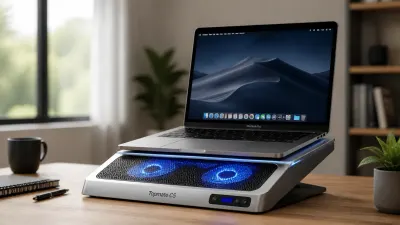
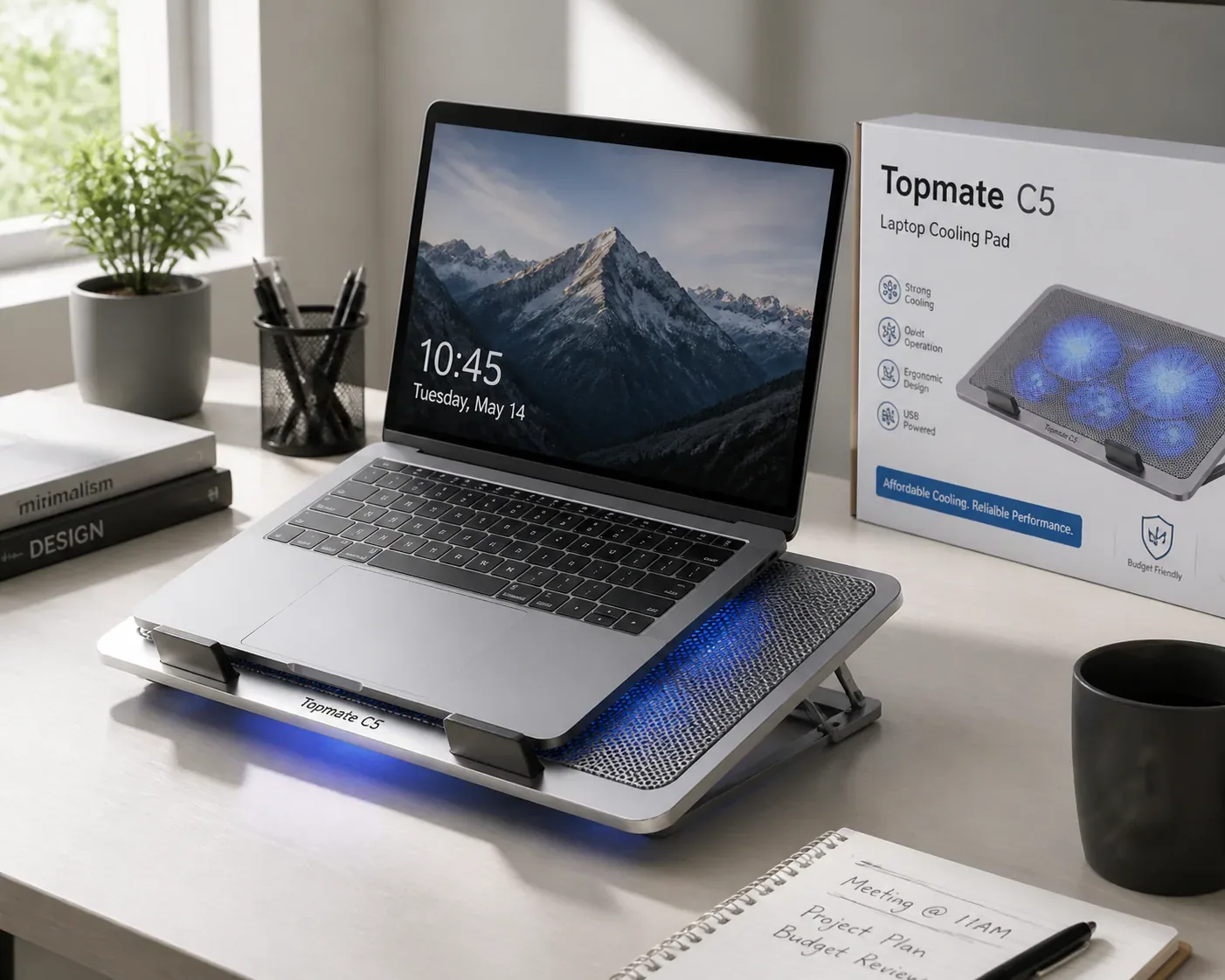
The cooling system relies on dual or multiple built-in fans that create consistent airflow beneath your laptop. These aren't high-performance fans designed for extreme overclocking; they're engineered for steady, reliable cooling during normal and moderate-to-intensive workloads. The fan speed isn't fixed—you can adjust it based on your current needs. Pushing the fans harder increases cooling but also increases noise, so the adjustable control gives you flexibility.
Power comes from a standard USB connection with no complicated setup required. Plug it in, turn it on, and the fans spin. There's no software to install, no drivers to update, and no settings buried in configuration menus. Plug-and-play functionality means you're cooling your laptop within seconds of unboxing.
The physical design prioritizes both functionality and usability. An adjustable angle stand lets you customize the height and pitch, which matters for ergonomic comfort during extended typing sessions. That height adjustment also improves airflow circulation by changing how your laptop sits on the pad. Depending on the model variant, you get either RGB or blue LED lighting that doesn't add meaningful cooling but does look clean on a desk.
The construction uses slim plastic and mesh materials, making the unit lightweight and portable. You're not dealing with heavy metal or complex mechanical components. The anti-slip surface keeps your laptop stable regardless of where you position it on the pad. Additional USB ports built into the cooling pad add practical convenience—you can connect peripherals without hunting for wall outlets.
For laptop compatibility, the C5 targets devices in the 12 to 15.6-inch range. That covers the vast majority of mainstream laptops, from budget ultrabooks to gaming machines. The pad's stable footprint and flexible design accommodate different laptop sizes and shapes without requiring additional accessories.
Cooling Performance: Real-World Results and Thermal Benefits
The fundamental question about any cooling pad is simple: does it actually cool your laptop?
The C5 works by improving airflow beneath your device. As the fans spin, they pull air from underneath and around the laptop, replacing stagnant hot air with cooler air from the surrounding environment. This constant air circulation prevents thermal buildup and allows your laptop's internal cooling system to work more efficiently.
Temperature reduction expectations depend on your specific workload and laptop. During normal productivity tasks like browsing, document editing, and light applications, the cooling improvement is noticeable but modest. You might see 5-10 degree Celsius drops. During extended gaming sessions or intensive content creation, the difference becomes more significant. Users commonly report 10-15 degree reductions, sometimes more depending on their laptop's thermal design and the ambient room temperature.
One of the most practical benefits is thermal throttling prevention. Thermal throttling occurs when your laptop's processor automatically reduces clock speed to prevent overheating. This causes performance drops that feel like your machine suddenly got slow. By maintaining better temperatures, the C5 reduces or eliminates throttling, maintaining consistent performance throughout demanding sessions.
Noise levels vary with fan speed settings. At lower speeds, the C5 runs quietly—most users report it's barely noticeable. Crank the fans to maximum, and you'll hear them, but they're still quieter than many competing cooling pads. It's a straightforward tradeoff: more cooling intensity produces more noise. The adjustable control lets you find your personal sweet spot between thermal management and audible intrusion.
The cooling consistency across various laptop models is reliable. The C5's design works with different brands and configurations without requiring special setup. Whether you're running a gaming laptop with high-power components or a thin ultrabook with passive cooling limitations, the pad provides meaningful thermal improvement.
Battery life considerations matter for portable users. The C5 draws power from USB, adding some power draw to your system. However, the improvement in thermal management often outweighs this cost. By reducing thermal stress, your laptop's hardware doesn't have to work as hard, potentially offsetting the additional USB power consumption. In many cases, users actually see modest battery life improvements from reduced thermal throttling.
Design and Ergonomic Considerations for Extended Use
Beyond raw cooling performance, the physical experience of using the C5 matters enormously.
The adjustable height settings transform how you interact with your laptop. Proper height positioning reduces neck strain and wrist discomfort during long work or gaming sessions. Rather than hunching over a flat keyboard, the C5 lets you elevate your laptop to a more natural viewing angle. This ergonomic improvement extends beyond just cooling—it genuinely enhances your daily comfort.
Angle customization works hand-in-hand with height adjustment. You can tilt the cooling pad to create a slight incline that angles your screen upward, which naturally encourages better posture. Different users have different preferences, and the flexible adjustment means the C5 adapts to your particular setup.
Portability features distinguish the C5 for mobile users. The slim, lightweight design means throwing it in a laptop bag between classes or moving it from your home office to the living room requires zero effort. College students especially appreciate that they're not adding significant weight or bulk to their daily carry. Similarly, remote workers who switch between multiple workspaces benefit from the ease of transport.
The footprint efficiency matters on crowded desks. The C5 occupies space without dominating it. You're not sacrificing significant desk real estate to get meaningful cooling. It sits comfortably alongside a mouse, notebook, and other essentials without requiring you to completely reorganize your workspace.
Aesthetic appeal varies by personal taste. The LED lighting options—whether RGB or blue—appeal to some users and mean nothing to others. If you value a clean, understated look, you can ignore the lighting entirely and focus on functionality. For users building a cohesive gaming or tech setup, the lighting can contribute to overall aesthetic appeal.
The plastic build quality is honest and appropriate for the price point. You're not getting materials that feel premium or luxury. What you get is durable plastic and mesh construction that resists normal wear and maintains structural integrity with regular use. Heavy-handed users who subject equipment to constant rough handling might experience durability issues, but normal day-to-day use presents no concerns.
Cable management is straightforward. The USB power cable has adequate length for most desk setups, and it routes neatly without creating tangled messes. The placement of USB ports for peripheral connectivity is practical and accessible.
Stability during typing and mouse usage remains solid throughout the pad's lifespan. The anti-slip surface prevents your laptop from shifting even when you're vigorously typing or moving your mouse around. That stability contributes to the overall sense that you're using reliable equipment.
Pricing Strategy and Value Proposition
The Topmate C5 occupies a specific and deliberate price position in the cooling pad market.
The budget-to-mid range positioning puts the C5 typically in the $20-$35 price range depending on the retailer and model variant. That price point sits far below premium cooling solutions that can cost $80-$150 or more. Yet it sits above the cheapest, lowest-quality options that often fail within months.
Cost comparison with premium alternatives reveals something important. A high-end gaming cooling pad might offer marginally better performance through advanced fan designs or premium materials. That advantage rarely translates to 200-300% better performance. Most of the premium pricing reflects brand positioning, marketing, and aesthetic features rather than fundamental thermal improvements. The C5 delivers 70-80% of the performance at roughly 25-33% of the cost.
Retailer pricing shows variations depending on where you shop and when you buy. Seasonal sales and promotional periods can further reduce the effective cost. Some retailers offer competitive pricing during back-to-school season or holiday shopping periods. If you're flexible about timing, you can catch the C5 at particularly attractive price points.
The value for money assessment depends on your user segment. For students managing tight budgets, the C5 is exceptional value—affordable cooling that meaningfully improves their experience. For gamers with flexible budgets, it's still strong value, though some might prefer spending extra for premium performance. For remote workers, it's standard value—a reasonable investment in productivity and equipment protection.
Return on investment comes from extended hardware lifespan and sustained performance. Thermal stress degrades laptop components over time. By maintaining better temperatures, the C5 reduces that degradation, potentially extending your laptop's usable lifespan by months or even years. For a device costing $800-$2000, a $30 investment that extends lifespan by a year represents obvious financial wisdom.
Warranty and customer support vary by retailer and region, but Topmate generally stands behind its products with reasonable warranty coverage. The prevalence of the C5 across major retailers means you have recourse options if something fails within the warranty period.
Long-term cost savings compound over time. The money you save from avoiding premature hardware replacement, unexpected repairs, and performance downgrade dwarfs the initial cooling pad investment. From a purely financial perspective, the C5 is a sensible expenditure for any laptop user experiencing thermal issues.
Check the current pricing and grab the Topmate C5 at today's best rates.
Who Should Buy the Topmate C5? Ideal User Profiles
The C5 solves thermal problems for specific user categories.
Competitive gamers seeking affordable thermal management find genuine value in the C5. If you're not pushing extreme overclocking or running the most demanding AAA titles at maximum settings on a high-end gaming laptop, the C5 delivers the cooling you need. The temperature improvements and noise reduction make extended gaming sessions more enjoyable and keep your laptop running at optimal performance.
College and university students with budget constraints represent a core audience. Laptops are essential for coursework, and thermal issues during late-night study sessions are common. The C5's affordable price and effective cooling directly address student needs without requiring them to sacrifice other budget priorities.
Remote workers requiring reliable performance during long work hours benefit substantially from the C5. Your laptop needs to stay cool and responsive for 8-hour workdays without throttling or unexpected shutdown. The C5 provides that reliability at a price that makes sense for a business expense.
Content creators and video editors managing heat-intensive tasks appreciate the thermal headroom the C5 provides. Video rendering and complex image processing generate significant heat. By keeping temperatures manageable, the C5 lets you work longer before thermal throttling interrupts your flow.
Laptop users in warm climates or poorly ventilated spaces face elevated thermal challenges. If your environment runs hot or your desk lacks good air circulation, the C5 makes a noticeable difference in your ability to work comfortably and keep your hardware stable.
Users with 12-15.6 inch laptops seeking compatibility fit the C5's sweet spot. If your device falls within this size range, compatibility is guaranteed. No guessing about whether it'll work with your specific laptop.
Budget-conscious consumers prioritizing value over premium features make up the largest part of the C5's audience. You understand that spending more doesn't always deliver proportionally better results. The C5 represents that rational, economical approach to technology purchasing.
Professionals needing portable cooling solutions appreciate that the C5 travels well. Whether you're moving between office locations or working in different environments, the lightweight, compact design makes it practical for mobility.
Honest Limitations and When the C5 Falls Short
No product is perfect, and the C5 has genuine boundaries.
The performance ceiling becomes evident in extreme gaming and overclocking scenarios. If you're pushing a high-end gaming laptop to its absolute limits while overclocking the GPU and CPU, the C5 might not provide sufficient cooling. Those extreme use cases demand premium cooling solutions designed specifically for maximum thermal extraction.
Fan noise at maximum speed settings is noticeable. If you're working in a quiet environment or prioritize near-silent operation, running the fans at full power can be distracting. You can compromise by running at medium speeds, but you'll sacrifice some cooling intensity.
The plastic construction durability has limits with heavy daily use. If you're moving the C5 around multiple times daily, subjecting it to rough handling, or using it in particularly demanding environments, the plastic components might show wear faster than premium metal construction would. For normal office or home use, durability is fine. For truly extreme environments or careless handling, it's a concern.
Limited effectiveness for very high-end gaming laptops under sustained load is a real limitation. Modern gaming laptops with powerful processors and graphics cards can generate extreme heat. The C5 provides meaningful help, but it might not be sufficient to keep a top-tier gaming laptop cool enough for unlimited sustained performance.
Vibration transmission during intensive cooling cycles can be noticeable on sensitive desks or with certain laptop models. The fans' vibration transmits through the pad to your desk surface. This rarely causes problems, but some users with very sensitive ears or specific desk setups find it mildly annoying.
Compatibility issues might arise with ultra-slim laptops or unconventional designs. If your laptop has a particularly unusual shape or sits very close to the ground, the standard C5 design might not accommodate it perfectly. Most standard laptops work fine, but oddball designs sometimes present challenges.
The upgrade path has limitations. As your thermal demands increase—perhaps you upgrade to a more powerful laptop or take on more intensive work—you might outgrow the C5. There's no obvious upgrade path within Topmate's lineup to move into higher-performance cooling.
Longevity expectations suggest replacement might be needed after 2-4 years of regular use. The fans might slow down over time, the plastic might develop minor cracks, or the electrical components might gradually degrade. This isn't unusual for consumer electronics at this price point, but it's worth knowing that the C5 isn't a "buy once, use forever" purchase.
Setup, Installation, and User Experience
Getting the C5 running requires minimal effort.
Unboxing reveals a compact cooling pad with a coiled USB power cable and minimal documentation. The first-use experience is straightforward and confidence-inspiring. Everything feels solid, the components are clearly visible, and there's nothing confusing about the design.
The USB connection process is literally plug-it-in. Find a nearby USB port on your laptop or a powered USB hub, insert the cable, and you're done. There's no configuration, no software to install, and no settings menus to navigate. Power requirements are minimal—just standard USB power.
Plug-and-play functionality means the fans start spinning immediately upon connection. You'll notice the cooling effect almost right away. The simplicity is one of the C5's strongest qualities—it respects your time and intelligence by avoiding unnecessary complications.
Fan speed adjustment controls are typically simple buttons or dial mechanisms. Most users find the interface intuitive immediately. Even if you've never used a cooling pad before, adjusting fan speed takes seconds to understand and master.
LED lighting customization, if applicable to your model variant, usually involves simple button presses cycling through color modes or brightness levels. Again, no software or complicated configuration required. What you see is what you get.
Positioning optimization for maximum cooling efficiency involves placing your laptop centered on the pad and ensuring the fans aren't blocked or restricted. The provided documentation usually includes simple diagrams showing optimal placement. Once you've positioned it correctly, you're done.
Cleaning and maintenance are minimal. Occasionally dusting the fan grilles with a soft brush prevents dust accumulation that might impede airflow. The plastic surface wipes clean with a dry cloth if it collects dust or spills. There's nothing complicated about maintenance.
Troubleshooting common issues typically involves simple steps: checking the USB connection, ensuring fans are free from blockage, and restarting the device. Most issues resolve themselves through these basic steps. Customer support resources are readily available through retailers and Topmate's official channels for situations requiring additional help.
Comparing the Topmate C5 to Competing Cooling Pads
The competitive landscape offers alternatives at various price points.
Direct comparison with other budget-friendly alternatives reveals that the C5 competes well. Products like the IETS GT300, Evercool NotePal, and similar budget cooling pads offer comparable features and performance. The real differentiator is often brand reputation and user reviews. The C5 has built genuine trust through consistent performance and availability.
Performance differences versus mid-range cooling solutions show a gap in sophistication and features. A cooling pad costing $50-$75 might offer more powerful fans, better build quality, or additional features like adjustable fan curves or multiple speed modes. However, the performance advantage rarely justifies the price multiplier for typical users.
Feature parity analysis across similar price points reveals that the C5 holds its own. You're getting dual fans, adjustable height, USB power, and LED lighting. Competitors at the same price offer similar feature sets. The distinction comes down to build quality nuances and brand preference rather than radical feature differences.
Brand reputation and customer satisfaction ratings favor the C5. Topmate's track record and the C5's popularity mean abundant positive reviews and established community trust. This matters more than you might think when deciding whether to spend your money.
Warranty and support quality comparisons show the C5 benefits from Topmate's established presence. You're not dealing with obscure manufacturers with limited support infrastructure. The warranty terms are reasonable and actual support is accessible.
Long-term reliability and failure rate data suggest the C5 is more durable than the absolute cheapest options and comparable to other mid-budget competitors. It's not as robust as premium cooling pads, but it's more trustworthy than bottom-tier discount options.
User reviews and community recommendations consistently praise the C5 for value. Online forums and review aggregators show overwhelmingly positive feedback, particularly from users praising the balance between price and performance.
Choosing competitors over the C5 makes sense only in specific scenarios. If you need premium build quality and maximum performance, look higher. If you need extreme portability and absolute quietness, other options might suit you better. For everyone else, the C5 remains the better choice.
Making Your Decision: Is the Topmate C5 Right for You?
Assessment requires honest reflection about your specific situation.
Ask yourself fundamental questions: Does your laptop run hot? Do you experience thermal throttling? Is cooling a genuine problem affecting your experience? If you answered yes to these questions, a cooling pad makes sense. If your laptop stays reasonably cool, you might not need one yet.
Budget alignment matters. Can you comfortably spend $20-$35 on a cooling pad without financial strain? If yes, the affordability makes the decision easier. If you're extremely budget-constrained, this might not be the right time.
Laptop specifications and compatibility verification is essential. Does your laptop fall within the 12-15.6 inch range? If not, the C5 might not be the right fit. If yes, compatibility is confirmed.
Use case matching determines whether the C5 is sufficient. If your primary use is gaming at maximum settings, you might need a more powerful cooling solution. If your use is productivity, students, and casual gaming, the C5 is likely sufficient. If your use involves travel and portability, the lightweight design is perfect.
Performance expectations versus actual results require realistic thinking. The C5 won't transform a struggling gaming laptop into a performance beast. It will, however, keep temperatures manageable, reduce throttling, and extend hardware lifespan. That's meaningful without being revolutionary.
Long-term value assessment considers the future. Will you keep this laptop for another 2-3 years? If so, the investment in cooling pays dividends. Are you planning to upgrade soon? If so, the cooling pad might be less critical.
Alternative solutions exist if the C5 doesn't fit your needs. Premium cooling pads offer better performance. Basic solutions like laptop stands and improved ventilation cost less but provide less benefit. Passive cooling solutions eliminate fan noise but sacrifice performance.
The final recommendation framework is simple: the C5 deserves serious consideration if you need affordable cooling for a mainstream laptop and are willing to accept some fan noise and plastic construction. You're making a financially sound decision and getting meaningful thermal benefits. If you have extreme requirements or unlimited budget, look elsewhere. For everyone in the middle, the C5 represents excellent value.
The Bottom Line: Thermal Management on a Budget
The Topmate C5 Laptop Cooling Pad delivers exactly what it promises—meaningful temperature reduction at a price that won't break the bank. For students juggling coursework and casual gaming, remote workers managing 8-hour workdays, and budget-conscious gamers, this cooling pad represents genuine value. You're getting dual-fan cooling, adjustable ergonomics, and broad laptop compatibility without premium pricing.
That said, this isn't a solution for extreme gaming rigs or professional-grade thermal demands. The plastic construction and fan noise at maximum speeds remind you that you're buying affordability, not luxury. But here's the thing: most laptop users don't need luxury. They need reliable cooling that extends hardware lifespan and maintains performance during critical moments.
If your laptop runs hot, your budget is tight, and your device falls within the 12-15.6 inch range, the Topmate C5 deserves serious consideration. Start with a single unit, test it against your specific workload, and decide if the thermal improvement justifies the investment. For the majority of users in this category, the answer is a resounding yes.