
How to Find a Digital Wall Calendar That Actually Meets Your Needs
Shopping for a digital wall calendar? Learn which features, screen sizes, prices, and subscription costs matter before choosing one for your family at home.
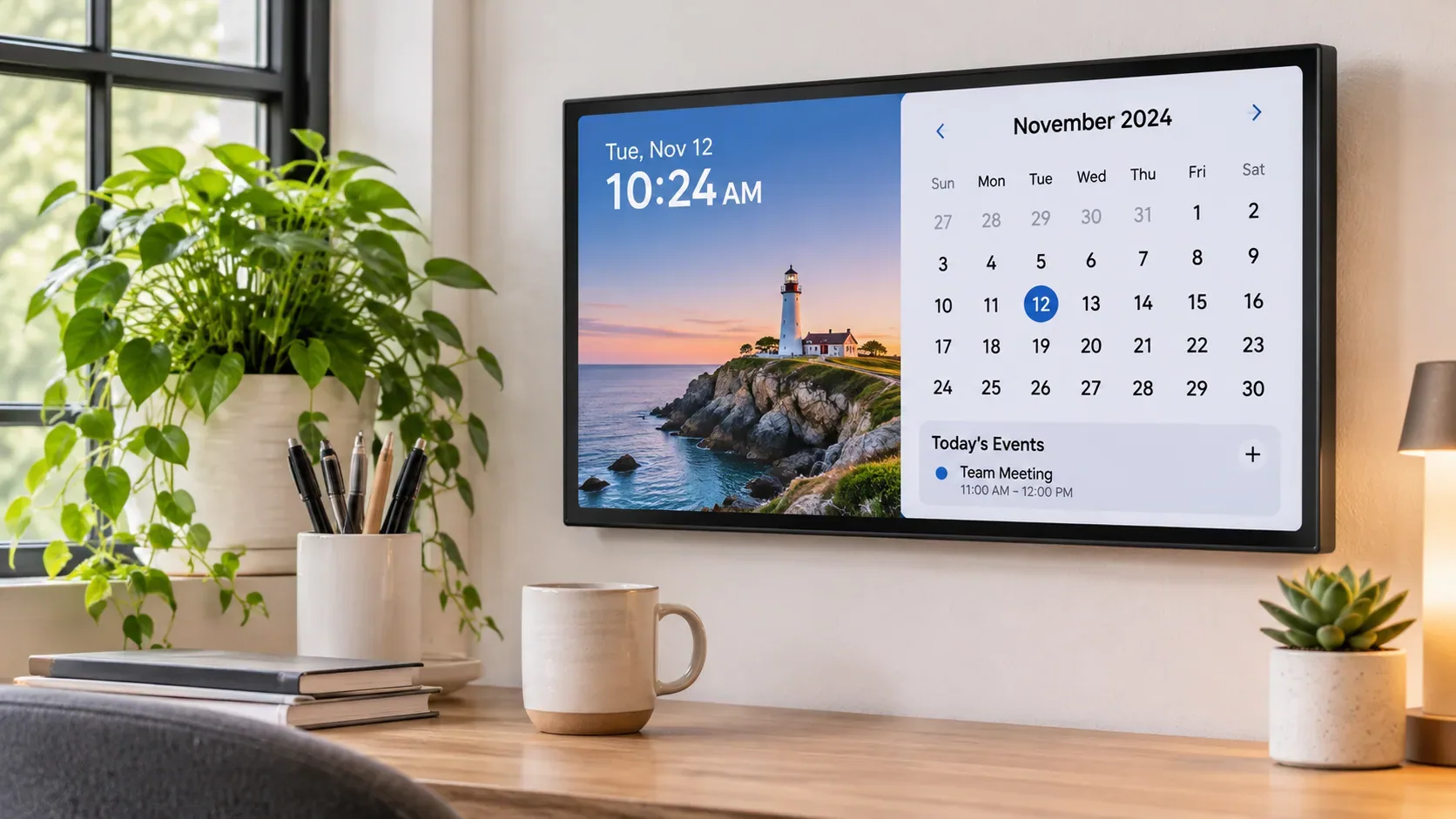
Keeping track of school events, work meetings, appointments, and family activities can feel like a full-time job. When everyone has a different schedule, even simple plans can get confusing.
A digital wall calendar can help keep those plans in one visible place. Instead of checking several phones or updating a paper calendar, your household can see upcoming activities on a shared screen.
But with different screen sizes, features, and prices available, how do you choose the right one?
This guide covers the features worth paying for, common drawbacks, and practical buying tips. You can also explore different digital calendar designs to see how these devices fit into everyday family routines.
What Should You Look for in a Digital Wall Calendar?
A good digital wall calendar should make your schedule easier to follow without adding extra work.
Before comparing brands, think about how your household handles appointments, chores, and daily activities. The right features depend on your family's habits.
1. Screen Size and Readability
Screen size matters because everyone needs to read the calendar comfortably.
A smaller display may work well in a kitchen with limited wall space. A larger screen can be helpful when several family members need to check their schedules from across the room.
For example, Everblog has a 13.4-inch FridgeCal and a 21.5-inch HomeCal. The smaller model is designed for refrigerator placement, while the larger model supports wall or desktop use.
When comparing digital calendar screen options, check the screen dimensions, viewing angles, and text readability.
A large screen may look attractive, but it should also fit comfortably in your available space.
2. Calendar Syncing
One of the biggest reasons to buy a smart family calendar is the ability to connect schedules.
Look for a device that supports the calendar apps your household already uses, such as Google Calendar, Apple Calendar, or Outlook.
Some devices can automatically display events from connected accounts. Others support two-way syncing, allowing changes made on the display to appear in your connected calendar.
Check the manufacturer's compatibility details before purchasing. Not every calendar supports the same apps or syncing features.
3. Easy Touchscreen Controls
A touchscreen calendar should be simple enough for everyone in your household to use.
Look for clear menus, readable buttons, and an easy way to add or edit appointments.
A touchscreen calendar can be especially helpful when you need to update plans quickly without opening your phone.
However, touchscreen controls can feel inconvenient if the interface is slow or difficult to understand. Product demonstrations and setup guides can help you evaluate usability.
4. Chore Tracking and Daily Tasks
Some digital calendars include a digital chore chart that allows family members to view assigned responsibilities.
This feature can be helpful for households managing cleaning schedules, homework reminders, and weekly tasks.
Look for options that allow you to:
- Assign tasks to individual family members.
- Set recurring responsibilities.
- Mark completed chores.
- Track daily or weekly progress.
A simple task system may be enough for adults. Families with younger children may prefer colorful icons or reward features.
5. Meal Planning and Grocery Lists
Some devices go beyond appointment tracking by including meal planning and shopping lists.
These features can be helpful when your household regularly plans meals, shops for groceries, or shares cooking responsibilities.
For example, you can review smart calendar features for kitchen organization to compare scheduling tools with grocery and meal management functions.
However, these extras may be unnecessary if you already use a grocery app that works well for your family.
How Much Does a Digital Wall Calendar Cost?
Digital calendar prices vary depending on screen size, software features, accessories, and brand.
Basic digital displays may focus mainly on schedules, while advanced models can include touchscreens, shared tasks, meal planning, and mobile app connections.
As a real product example, Everblog lists its 13.4-inch FridgeCal starting at $249 and its 21.5-inch HomeCal starting at $349 on its product collection page. These are advertised sale prices and may change.
The purchase price is only one part of the decision.
Check for Subscription Fees
Some smart calendar brands require subscriptions for selected features.
Before buying, find out which functions are included with the device and which require additional payments.
Check these details:
- Are calendar syncing features included?
- Do chore tracking and meal planning require payment?
- Is the companion mobile app free?
- Are software updates included?
- Are optional accessories sold separately?
The FridgeCal product page states that its main features are available without a monthly subscription.
You can compare available smart calendar models when checking purchase costs and included functions.
A lower initial price may not mean lower long-term spending if the features you need require ongoing payments.
Which Digital Calendar Type Is Right for Your Home?
Not every household needs the same calendar setup.
Some families prefer a permanent wall mounted calendar, while others want a compact device that fits on the refrigerator.
Here is a simple comparison.
| Calendar Type | Best For | Main Advantage | Possible Drawback |
|---|---|---|---|
| Wall-mounted digital calendar | Busy households with shared schedules | Large, visible display | Needs suitable wall space |
| Magnetic fridge calendar | Families who organize activities in the kitchen | Convenient placement | Screen size may be limited |
| Desktop digital calendar | Apartments and home offices | Flexible placement | Uses counter or desk space |
| Paper wall calendar | Simple household schedules | Low purchase cost | Requires manual updates |
| Mobile calendar app | Individuals and smaller households | Accessible on your phone | No permanent shared display |
If your family frequently checks schedules in the kitchen, a refrigerator calendar may be convenient.
For households that want everyone to see appointments and tasks from a distance, a larger wall display may work better.
You can also check different home calendar setups to compare placement styles before deciding.
What Are the Benefits of a Digital Family Planner?
A digital family planner can help everyone follow the same schedule without repeatedly checking separate calendars.
Here are several practical advantages.
Shared Visibility
A central display allows family members to check upcoming activities in one location.
This can be useful for school pickups, sports practices, medical appointments, and weekend plans.
Easier Schedule Updates
When a device supports calendar syncing, changes can appear without manually rewriting appointments.
This is especially helpful when plans change frequently.
Better Task Organization
Some calendars combine appointments with chores, shopping lists, and meal plans.
Keeping these activities together may reduce the need for separate household planning tools.
Less Dependence on Reminders From One Person
A shared display gives everyone access to the same information.
Children can check their activities, while adults can review upcoming responsibilities without constantly asking each other.
However, these benefits depend on family members actually using the device and keeping their schedules updated.
What Are the Drawbacks of Digital Wall Calendars?
Although digital calendars can be convenient, they have limitations worth understanding.
Higher upfront cost: A digital display generally costs significantly above a basic paper calendar.
Power requirements: Many wall-mounted models need a nearby outlet. Rechargeable devices require periodic charging.
Internet dependence: Certain features, including calendar syncing and software updates, may need Wi-Fi access.
Setup time: Connecting accounts, creating profiles, and customizing schedules can take some effort.
Limited usefulness for some households: If you rarely have scheduling conflicts, a simple calendar app may already meet your needs.
Before buying, look at the available calendar features and setup options to determine how much work the device requires.
The best choice should fit your existing routine rather than create another task to manage.
Is a Digital Wall Calendar Better Than a Paper Calendar?
That depends on how your household organizes its time.
A paper calendar is affordable, familiar, and easy to use. You can hang it on the wall, write appointments, and check your schedule without charging a device.
However, paper calendars require manual updates. If plans change while you're away, the calendar won't automatically reflect those changes.
A digital calendar can be helpful when several people need access to updated schedules.
It may also make sense if your household already relies on digital calendar apps.
For example, a family with 3 children attending different schools and activities may benefit from shared calendar syncing. Someone living alone with a predictable routine may find a paper planner perfectly adequate.
Neither option is automatically better. Choose based on your scheduling habits, available budget, and willingness to use digital tools.
What Should You Check Before Buying?
Before purchasing, take a few minutes to evaluate the product against your household's actual needs.
Check the Installation Requirements
Find out if the device requires wall mounting, a power outlet, or special accessories.
Measure your available space and confirm that the installation method works with your wall or refrigerator.
Confirm App Compatibility
Check that the calendar connects with your preferred scheduling apps.
If multiple family members use different services, verify which accounts and features are supported.
Review the Included Features
Avoid paying for functions you probably won't use.
If your main goal is scheduling, calendar syncing and readability may matter most. If you manage family chores and meals, task tracking and grocery lists may be helpful.
Understand the Total Cost
Review the device price, shipping fees, accessories, subscription requirements, and warranty.
Also check the manufacturer's return policy in case the calendar doesn't suit your home.
For reference, you can browse family calendar product details and compare the specifications with your checklist.
Is a Digital Wall Calendar Worth Buying for Your Family?
A digital wall calendar may be a worthwhile purchase if your household manages several schedules, frequently changes plans, or wants a shared place for appointments and tasks.
It can be particularly useful for families who already use online calendars and want those schedules visible at home.
However, if you prefer writing appointments by hand or rarely need shared scheduling, a paper calendar or free mobile app may be enough.
Focus on screen size, syncing compatibility, ease of use, and total cost before deciding.
If you're ready to compare devices, review the available digital family calendar options and choose a model that matches your space, budget, and daily routine.
A calendar should make your household easier to organize, not give you another responsibility to remember.