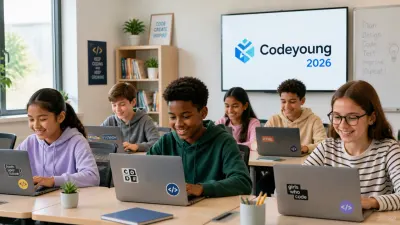
Live Coding Classes for Kids: Codeyoung's Personalized Approach
Discover how Codeyoung Online Coding Classes build confidence and problem-solving skills through live mentorship. Learn why personalized instruction transforms kids' coding education.
Over 70% of parents report that their children struggle with self-directed learning when it comes to technical subjects. The gap between knowing how to learn and actually staying engaged with complex material widens significantly in the absence of human guidance. When a child sits alone with a pre-recorded tutorial and encounters their first coding error, frustration often follows—and many simply close the laptop.
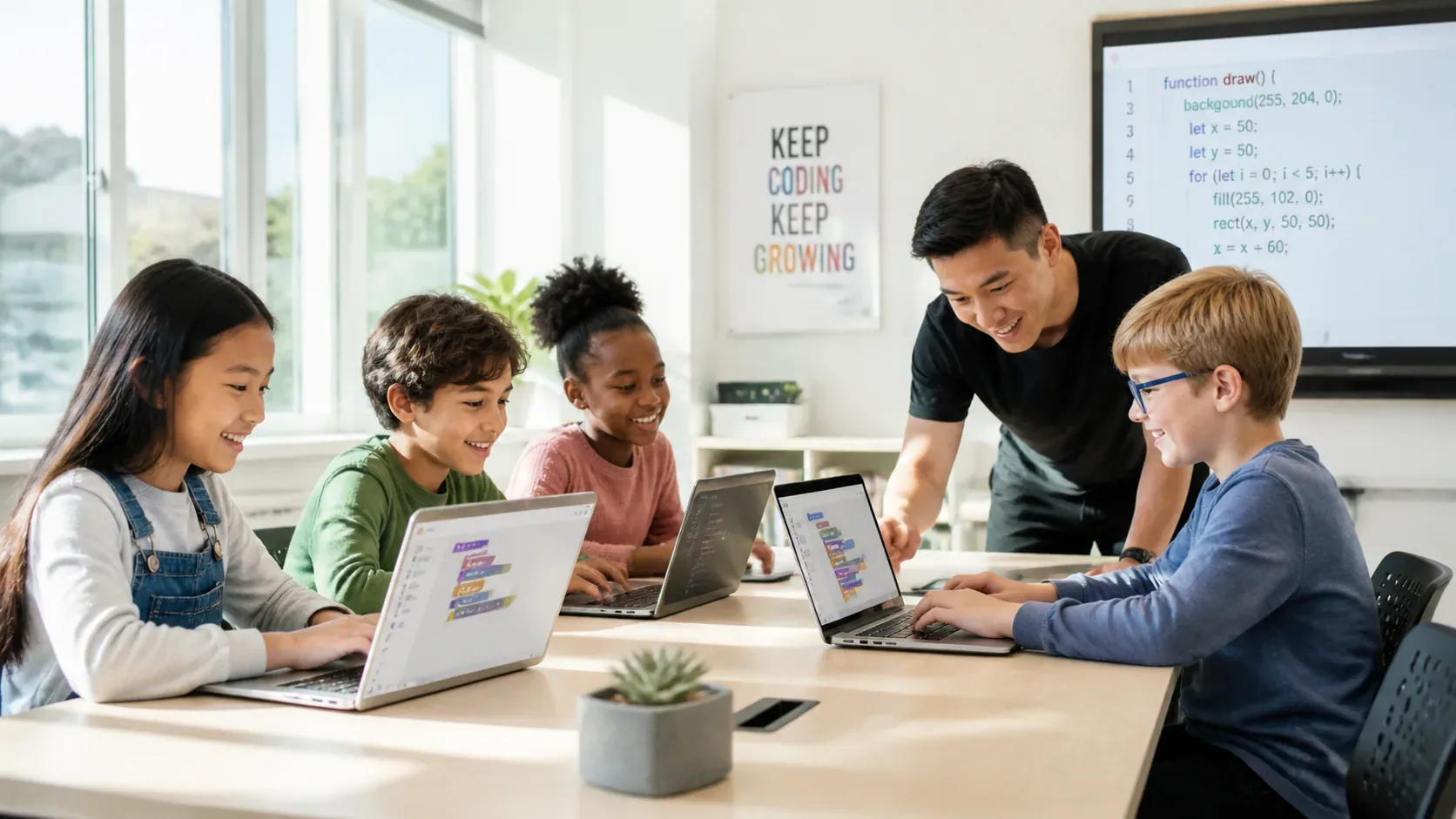
Codeyoung Online Coding Classes represent a shift in how we think about kids' tech education by connecting learners with live instructors who adapt teaching in real-time. Rather than pausing a video and searching for answers in a forum, your child receives immediate clarification, encouragement, and course correction from a mentor who understands their specific learning pace and style.
Book a demo with Codeyoung to see how live instruction transforms your child's coding experience.
The Psychology Behind Live Coding Mentorship vs. Self-Paced Learning
How real-time feedback loops accelerate learning retention and reduce frustration
The moment a student writes a line of code and runs it, they receive feedback. In a self-paced environment, that feedback comes from the computer—a syntax error or failed output that offers no context. A live instructor, by contrast, watches the same screen and asks: "What were you trying to do here? Let's trace through the logic together." This immediate, human-centered feedback creates what researchers call a tighter feedback loop, where the learner understands not just that something is wrong, but why it's wrong and how to think about fixing it.
This difference matters deeply for retention. When a child understands the reasoning behind a correction, they internalize the concept rather than simply memorizing a fix. The frustration that typically accompanies debugging dissolves when someone is there to validate the struggle and guide the problem-solving process.
The role of instructor presence in building coding confidence in hesitant learners
Many children carry anxiety around technology and programming before they even begin. They worry they're "not a math person" or "not smart enough for coding." An instructor's presence—their tone, their encouragement, their modeling of how experts actually approach problems—can fundamentally shift a child's self-perception.
When an instructor says, "That's a great question. Even experienced programmers ask that," the child's internal narrative shifts from "I don't belong here" to "I'm learning, and that's what matters." This reframing happens naturally in conversation but rarely occurs in algorithmic, one-size-fits-all online courses.
Why accountability matters: how scheduled live classes prevent procrastination and course abandonment
Self-paced courses are flexible—and that flexibility often becomes a liability. A child can postpone a coding lesson indefinitely without anyone noticing. With a scheduled live class, there's structure. The student has a time commitment, an instructor waiting on the other end, and momentum built week to week.
This matters because motivation in learning isn't purely intrinsic at ages 7–18. External structure creates the conditions for intrinsic motivation to develop. When a child attends classes consistently, they build habits. Progress accumulates. Confidence grows. The course doesn't become "something I meant to finish."
The social-emotional benefits of one-on-one interaction in technical skill development
Coding is technical, but learning to code is profoundly social and emotional. A child sitting alone at a screen processes setbacks differently than a child with an adult acknowledging their effort and celebrating their breakthroughs. One-on-one or small group instruction creates a container where the student feels seen and valued, not as a username in a learning management system, but as a person developing new capabilities.
This matters for long-term engagement in STEM fields. Children who experience coding as a solitary, frustrating grind often abandon it. Those who experience it as a supported, collaborative challenge tend to pursue it further.
Age-Appropriate Curriculum Pathways in Codeyoung Online Coding Classes
Early learners (ages 7–9): visual block-based programming with Scratch and logic foundations
Young learners need to see the tangible results of their code. Scratch uses block-based programming, where children drag and snap together visual commands to animate characters, create sounds, and build interactive stories. This approach develops logical thinking without requiring typing proficiency or syntax memorization.
At this age, the curriculum emphasizes computational thinking—breaking problems into steps, recognizing patterns, understanding sequences and loops. A child learns that every digital creation, from a video game to a weather app, is built from these fundamental building blocks.
Intermediate students (ages 10–13): transitioning from Scratch to Python and basic app concepts
As children mature cognitively and gain confidence, the curriculum introduces text-based programming. Python is an excellent bridge language—readable, forgiving of minor syntax errors, and powerful enough to create real programs. Students at this stage begin writing their own code rather than dragging blocks, reinforcing the connection between logical thinking and actual syntax.
Basic app development concepts introduce students to the idea that programs serve purposes—solving problems, entertaining users, organizing information. Project-based assignments at this level might involve building a simple game, creating a data tracker, or designing a tool for a real problem they've identified.
Advanced learners (ages 14–18): game development, AI fundamentals, and real-world project work
Older teens are ready for complexity and contemporary relevance. Game development teaches object-oriented programming principles in a motivating context. AI fundamentals introduce machine learning concepts—training models, understanding datasets, recognizing bias—skills increasingly valuable across industries.
At this level, curriculum transitions from "here's what you should learn" to "here's what you want to build, let's figure out how." Students tackle projects of their own choosing, with the instructor serving as a guide through problem-solving rather than a conveyor of content.
What Sets Personalized Learning Paths Apart
Initial assessment process: how Codeyoung identifies starting level and learning style
Before the first coding lesson, Codeyoung assesses where the student actually is—not their age, but their prior experience, comfort with technology, and learning preferences. Does this child learn best through visual explanation, hands-on practice, or discussion? Do they prefer moving quickly or building confidence slowly? Are they intrinsically motivated by challenges or do they need frequent encouragement?
This information shapes everything that follows. Two 11-year-olds with no coding experience might follow entirely different lesson plans based on these initial conversations. One might start with logic puzzles and storytelling in Scratch; another might jump directly into Python fundamentals.
Customized pacing: why one student's 8-week journey differs from another's
Standard online courses operate on a fixed timeline. Codeyoung's live instruction model allows pacing to match the student. A child who grasps loops and conditionals in two lessons moves forward. A child who needs four lessons stays there until it truly clicks. This isn't inefficiency; it's efficiency.
Fast-forwarding a struggling student creates gaps. Holding back a quick learner creates boredom. Live instruction, with an instructor present to make real-time decisions, navigates this complexity in ways algorithms cannot.
Adaptive difficulty scaling based on student performance and confidence levels
As students demonstrate mastery, instructors introduce more sophisticated challenges. This might mean asking a student to write code independently rather than following guided steps, tackling a multi-part project instead of single-concept exercises, or exploring advanced applications of concepts already learned.
Conversely, if confidence dips or understanding wavers, the instructor recognizes it in conversation and recalibrates. The student gets additional practice, a different explanation approach, or a confidence-building success before moving forward again.
Schedule a consultation with Codeyoung to explore a customized learning path for your child.
The Live Mentor Experience: What Happens During Class
One-on-one or small group session structure and typical class duration
Codeyoung sessions typically run 50 minutes to an hour, long enough for meaningful instruction but short enough to maintain focus. One-on-one sessions offer maximum personalization; small groups (usually 2–4 students) introduce peer learning while maintaining individual attention.
A typical session opens with a brief review—what did the student build or learn last time? What questions linger? The instructor then introduces a new concept or returns to a previous one if needed, often using live coding to demonstrate. The bulk of the session is hands-on: the student codes while the instructor watches, asks guiding questions, and jumps in with help when needed.
How instructors balance teaching new concepts with hands-on coding practice
The worst coding instruction is all lecture. The best is primarily practice, with instruction embedded as needed. Codeyoung instructors maintain this balance by introducing a concept briefly, then immediately giving the student code to write. As the student works, the instructor observes, identifies misconceptions in real time, and clarifies through targeted explanation or Socratic questioning.
This balance keeps students engaged and builds genuine understanding rather than passive comprehension. A student who does the coding—even with support—learns far more than a student who watches someone else code.
Real-time debugging support: catching mistakes before they become frustrating obstacles
Debugging is part of coding. But debugging alone, without guidance, is often where self-taught students give up. A live instructor makes this process collaborative and educational. When a student's code doesn't work, the instructor helps them read error messages, trace through logic, and test hypotheses about what went wrong.
This transforms debugging from a source of frustration into a learning skill. The student internalizes how experts approach problems—methodically, without panic, breaking the issue into smaller pieces.
Building Technical Skills + Soft Skills Simultaneously
How live instruction naturally develops communication skills through explanation and discussion
Throughout a session, instructors ask students to explain their thinking: "Walk me through what this loop does. Why did you choose a while loop instead of a for loop?" This practice—articulating reasoning about code—develops communication skills alongside coding skills.
A student who can explain code clearly develops deeper understanding of that code. Conversely, the difficulty in explaining an idea often signals a gap in understanding. Live instructors catch these gaps through conversation and address them directly.
Problem-solving methodology: teaching students to break down complex coding challenges
Large projects intimidate. How does a student build a game when "building a game" feels monumental? Live instructors teach methodology: break the large problem into smaller problems. What needs to happen first? What comes next? What variables do you need? What logic?
This decomposition skill transfers far beyond coding. It's the approach to any complex challenge in school, work, and life. A student who learns to break down a game development project learns a approach applicable to essays, science projects, and professional work.
Resilience and growth mindset: how instructors frame errors as learning opportunities
An instructor's response to a student's mistake sets the tone for the student's relationship with coding. "Oh, interesting. Your code didn't work as expected. That's exactly how programming works—we write something, test it, see what breaks, and fix it. Let's look at what happened together."
Contrast that with the message a student receives staring at a syntax error alone: "You got it wrong." The first framing builds resilience and growth mindset—the belief that struggles and errors are part of learning. The second often builds frustration and avoidance.
Investment vs. Value: Understanding Codeyoung's Pricing Model
Typical pricing range and how it compares to pre-recorded platforms and coding bootcamps
Codeyoung positions itself as a premium platform. A single one-on-one session typically costs significantly more than a month of access to self-paced platforms like Khan Academy or Codecademy. This isn't arbitrary—it reflects the cost of employing trained instructors, maintaining small class ratios, and providing personalized curriculum design.
However, pricing is notably lower than intensive coding bootcamps for teens (which can cost thousands). Codeyoung sits in the middle ground: more expensive than self-serve but more accessible than immersive bootcamp experiences.
Package options: frequency of classes (weekly, bi-weekly) and course length variations
Families typically choose from weekly sessions (the most common for building consistent progress), bi-weekly sessions (less intensive but still structured), or intensive short-term programs (useful for exploring a specific topic deeply). Course lengths vary—some families commit to a semester or year, others to a 10-week intensive.
Pricing reflects these choices. A child attending one session per week for three months costs less than a child attending two sessions weekly for six months. Families can adjust frequency and duration based on budget and learning goals.
What's included: curriculum materials, progress tracking, assignment feedback
Beyond the live sessions themselves, Codeyoung typically includes curated learning materials, assignments the student completes between sessions, and tracking of progress. Some platforms include access to recorded sessions for review, community forums for peer connection, and capstone projects.
Families should verify what's included in specific pricing tiers, as these elements substantially impact the total value delivered.
Making Your Decision: Is Codeyoung Right for Your Child's Learning Journey?
Codeyoung Online Coding Classes occupy a unique space in the edtech landscape—they're not the cheapest option, but they deliver something increasingly rare: genuine human connection paired with structured technical instruction. The real question isn't whether Codeyoung teaches coding, but whether your child thrives with accountability, real-time feedback, and the confidence boost that comes from a mentor who knows them by name.
If your child is hesitant about tech, struggles with motivation, or craves deeper engagement than pre-recorded courses offer, this platform delivers measurable returns on that investment. The personalized pacing ensures your child isn't left behind or unchallenged. The live instruction builds both technical competence and genuine confidence in a learner's own capability.
Before committing to a full package, honestly assess your family's scheduling capacity. Can you commit to consistent weekly sessions? Consider your budget flexibility. Is the mid-range pricing sustainable for your family, or would monthly adjustments strain finances? Reflect on your child's learning style. Do they respond well to structure and accountability, or do they rebel against scheduled commitments?
Request a trial session or initial consultation. Most quality platforms offer low-pressure opportunities to experience the instruction firsthand. A single session often reveals whether the teaching style clicks with your child, whether the pacing matches their needs, and whether the investment feels worthwhile.
The best educational choice is the one that actually sticks with your child and builds skills that matter. Codeyoung Online Coding Classes can absolutely be that choice.
Book your demo today and discover whether Codeyoung aligns with your child's learning goals.